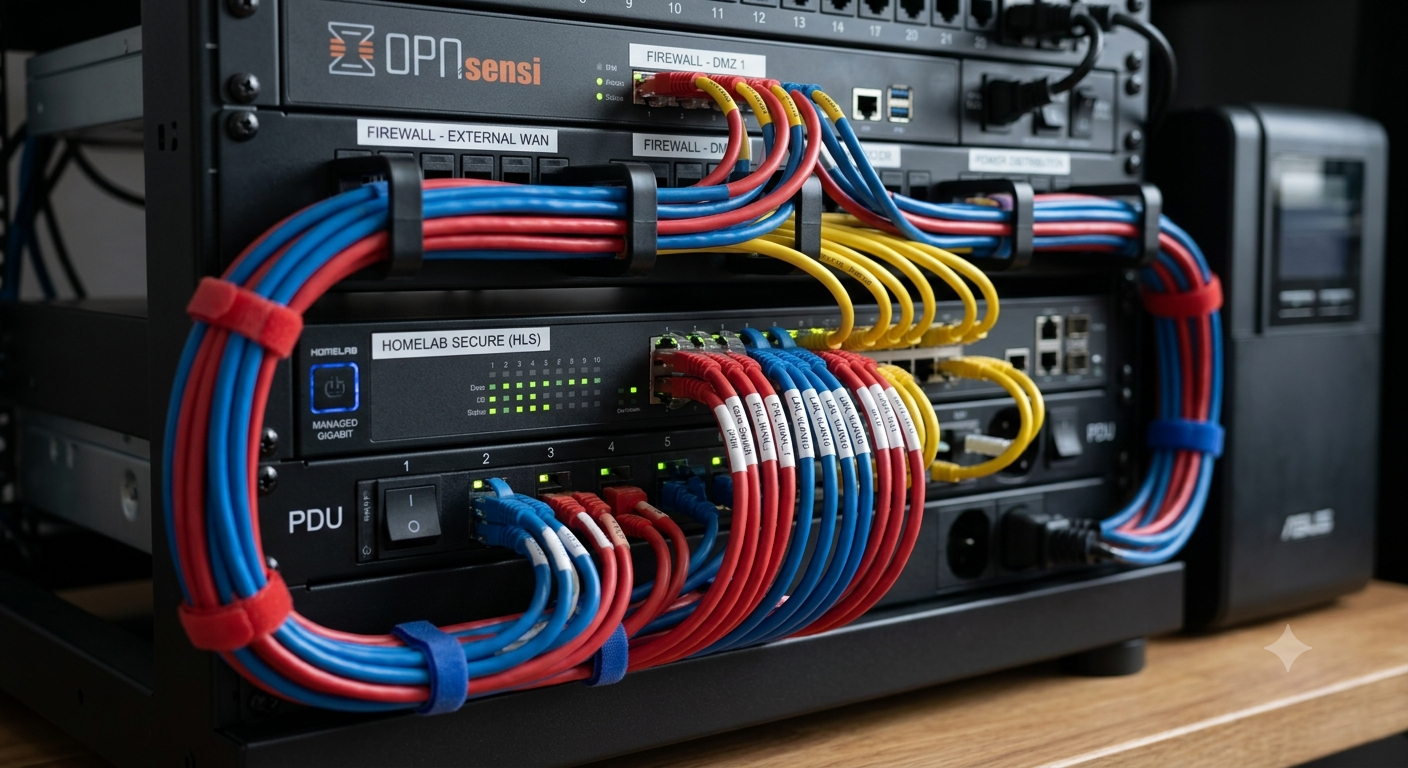
Building a homelab is one of the easiest ways to learn networking, cybersecurity, virtualization, and system administration. It can be used to experiment with virtual machines, host your own services, test new applications, and prepare for certification exams. Understanding how to secure a homelab network helps protect not only your lab but also the personal devices and sensitive information connected to your home network A personal network must be segmented and hardened to ensure the safety of your personal devices and sensitive information.
Learning how to secure a homelab network isn’t about making your environment impossible to attack. However, it is important to understand that any device with internet access can be compromised by bots scanning the web for vulnerable systems to exploit. Thus, an amateurish server is not safe and needs to be secured properly.
It is important to understand that a homelab network security guide is not about making your homelab completely hack-proof. It is rather about designing and maintaining the infrastructure in a way that minimizes risks and ensures that no unnecessary vulnerabilities are present.
Why Homelab Security Matters
Test devices are not always the only thing that you’ll find in a homelab. A number of people run their websites, file servers, media centers, smart home servers, development servers, backup systems and much more from their homelabs. Because of this, if one of your homelab’s devices is not protected it can have access to your whole network. If an attacker manages to hack into a badly secured homelab server, they may move into your home network laptops and desktops.
This is why understanding how to secure a homelab network is essential from the beginning rather than after a security incident occurs. Building security into your design is easier than trying to fix weaknesses later.
Also, think of privacy.It resides on your computer, where your family’s personal photos, financial documents, passwords, and sensitive account information are stored.That information can be protected with good network security.
Start with a Secure Network Design
One of the most effective ways to learn how to secure a homelab network is by designing it with security in mind instead of adding protections afterward.
It’s not wise to have every device running on the same network; instead, partition your devices based on their function. Your servers could run on a separate subnet, your personal computers could be on another, your IoT devices on yet another, and you could have a guest network too. If one server gets hacked, an attacker is less likely to reach the rest of your network if your devices are partitioned.
Nowadays you don’t have to have an Enterprise switch to do that since a lot of routers and even higher-end home routers allow you to do something similar with VLANs. Configuring these options correctly is an essential part of organizing your tech coore hardware to keep administrative traffic completely separated from guest access.
The best practice when deploying services on your network is to first plan your network infrastructure.
Use Strong Authentication Everywhere
When discussing how to secure a homelab network, authentication is one of the most critical topics.
Many security breaches occur because attackers successfully guess weak passwords or reuse credentials that have already been exposed in previous data breaches.
Every administrator account should have:
- A unique password
- A long passphrase instead of short, simple words to satisfy official cybersecurity passphrase standards that resist modern brute-force guessing tools
- Multi-factor authentication whenever available
- Separate administrator and standard user accounts
Using a password manager helps generate unique passwords and keeps them safely stored for convenient access.
For remote administration, avoid using default usernames whenever possible, and immediately change factory credentials on routers, switches, network-attached storage (NAS), and virtualization platforms.
Strong authentication significantly lowers the risk of unauthorized access to your accounts and devices.
Keep Software and Firmware Updated
Keeping software outdated significantly increases the risk of cybercriminals exploiting security weaknesses. Developers regularly release updates to fix newly discovered vulnerabilities before attackers can exploit them.
If you’re serious about learning how to secure a homelab network, establish a routine for checking updates across all devices.
This includes:
- Operating systems
- Hypervisors
- Routers
- Managed switches
- Firewalls
- NAS devices
- Docker containers
- Self-hosted applications
Before installing updates on production services, many homelab enthusiasts test them in isolated environments to identify compatibility issues. This approach balances security with system stability.
Keeping software current doesn’t eliminate every risk, but it significantly reduces the attack surface available to cybercriminals.
Protect the Network Perimeter
Your router or firewall serves as the first line of defense between your homelab and the internet. Configuring it correctly is one of the most important steps in understanding how to secure a homelab network.
Don’t expose services you don’t actually need access to on the Internet. Don’t leave unnecessary ports open and clean out your firewall rulesets of old configurations when appropriate. If you can do so use a Virtual Private Network (VPN) for remote access rather than expose your management interfaces directly to the Internet.
Monitor Your Homelab for Suspicious Activity
Even a well-protected setup requires ongoing monitoring. An important part of learning how to secure a homelab network is understanding that security is a continuous process rather than a one-time configuration.
Reviewing system logs on your devices is another way you can discover activity that might not belong. Log file analysis can expose anomalous login attempts, unexpected configuration changes or frequent, failed authentication requests. Fortunately, many of your modern routers, servers, and firewall appliances have this logging built into their operating systems and interfaces, making it a lot easier to find security problems early on. It might be worth investing in a dedicated log management or monitoring solution if you manage a large number of devices or a number of machines within your homelab as it makes troubleshooting your infrastructure a whole lot simpler.
Back Up Your Data Regularly
Security isn’t only about preventing attacks—it’s also about recovering quickly if something goes wrong.
Hardware failures, accidental deletions, ransomware, or software errors can all result in data loss. Creating regular backups ensures your important files and system configurations can be restored when needed.
For better protection, follow these backup practices:
- Schedule automatic backups whenever possible.
- Keep multiple backup copies.
- Store at least one backup offline or in a separate location.
- Test your backups periodically to verify they can be restored.
- Include configuration files for routers, firewalls, and servers.
A reliable backup strategy is one of the most valuable investments you can make when learning how to secure a homelab network.
Common Security Mistakes to Avoid
Many homelab security issues stem from simple oversights rather than sophisticated attacks. Avoiding these common mistakes can significantly improve your network’s resilience.
- Leaving default usernames and passwords unchanged.
- Ignoring firmware and software updates.
- Opening unnecessary ports to the internet.
- Using the same password across multiple devices.
- Running every service with administrator privileges.
- Failing to separate lab devices from personal devices.
- Skipping regular backups and recovery testing.
Recognizing these risks is another essential step in understanding how to secure a homelab network effectively.
Homelab Security Checklist
| Security Practice | Why It Matters | Recommended Action |
| Network Segmentation | Limits lateral movement | Use VLANs or separate subnets |
| Strong Authentication | Prevents unauthorized access | Use unique passwords and MFA |
| Software Updates | Fixes known vulnerabilities | Update systems regularly |
| Firewall Configuration | Filters unwanted traffic | Allow only necessary connections |
| Regular Backups | Enables quick recovery | Automate and test backups |
| Activity Monitoring | Detects suspicious behavior | Review logs and alerts routinely |
Conclusion
Learning to secure the network within the homelab is one of the critical skillsets needed for networking enthusiasts and professionals. A properly secured homelab design will always utilize multiple measures for protection. The network must be segmented at all levels, have strong authentication, updated firmware, firewalls, monitoring, and regular backups.
While designing the network and adding more equipment and services inside the homelab, always remember the importance of network security. Following these guidelines will allow you to confidently grow your homelab ecosystem and test new ideas without putting the rest of the home network, computers, and personal data at risk
Frequently Asked Questions
What are the best ways to secure the homelab network?
The best way to secure the homelab network is to use multiple security measures like VLAN segmentation, strong passwords, two-factor authentication, regular updates, firewall rules, and backups.
Should I place a homelab behind the internet or expose it to the network?
Keeping your homelab off the public internet is generally the safest approach to reducing potential cyber threats. If possible, always use the software VPN solution to gain access to your management tools or remote services.
Are VLANs in homelab really necessary?
Yes, VLAN segmentation is required to make sure that all devices are isolated from each other. This way, you will minimize the risks of a potential breach.
How often should I update the homelab equipment?
Update homelab equipment often, and do not forget about regular firmware upgrades. Always install the critical security patches when possible after testing them in your test environment, if applicable.
Does the homelab network require a firewall for extra security?
A firewall is not enough to protect your network infrastructure. However, it is a must-have security measure that must be used together with other tools, including regular monitoring and software updates.
Do I need to install antivirus software on the homelab servers?
If the server’s operating system allows doing that, you should not skip the antivirus or endpoint detection and response (EDR) software.
Is it possible to secure a homelab for beginners?
Yes, it is possible to secure the homelab platform for novices. It may only take some time and effort to learn the fundamentals of cybersecurity. However, all essential measures can be taken to minimize the attack surface.